Showing posts with label Samsung Galaxy S4. Show all posts

Sunday, 19 January 2014

Samsung's Air View and Air Gesture Feature

It seems like the touchscreen phones manufacturers, Samsung in particular, are getting bored by the touch interface. They have added the "air" input to command the device. Is this a worth addition or is it just a burden to the processing power, battery life and the physical hardware of the device? Let's find out, at least from a regular user's point of view!

Adverts:
Buy Samsung S4 free phone, 29/month
Buy Samsung Note 3 free phone, unlimited calls, unlimited texts

Air Gesture.

What it can do?

This feature let's user perform a task without touching the screen, like flipping a page from left to right or the reverse, scrolling a page up or down by "waving" your palm over the "air", movement,  sensors.

How to activate?

To turn the feature on, go to settings, controls, motion control, air gesture(1). Do not worry that you do not see the air gesture icon(2) at the top as this does not show until a suitable situation where air gesture is compatible, like in an opened email(2) and whilst reviewing pictures. It can do four things.


  • Quick glance function lets you see important information when you activate the sensor(encircled) whilst the device is lying on a flat surface. It shows the  call summary, messages received, battery life and other notifications. 

  • Air jump lets you scroll opened email message. It doesn't work when you are with the list of email. You need to touch and open one to activate it.
  • Air browse. The name has nothing to do with internet browsing. It flips forward or backward opened photos from a folder. Whilst it says it also support pages and music tracks, I could not make it work when  I am playing music and reading Metro digital magazine. I hope I am just doing it wrong.
  • Air call accept. This feature could be helpful when you are driving. There's an option to put turn the device speaker phone function when it is activated by air gesture. If you do not have a bluetooth handsfree installed, then this is a good help.

Air gesture seems to be an impressive feature but it is not practical because of it's compatibility to only a handful of programs. And I think the sensors need polishing as well as sometimes your gesture is not recognized when you move it too slowly or too swiftly, or too far off from the screen. I noticed that to get the best result for this feature is to keep the palm distance about half an inch away from the screen and about 1/2 to 1 second speed.


Air View


What it can do?

If Harry Potter has a magic wand to control object's movement and turn them into something, you can do that do, with a stylet or with your finger tips and one of the latest Samsung smartphones. You can  see the content of a text message, see thumbnails of photos in a folder, see the elapsed scene whilst watching a video, or magnify a part of the screen whilst reading.


How to activate?

Go to settings, controls, motion control, airview. You can choose which one to use, either your finger or the supplied stylet depending on your preference, but I do recommend to choose auto switch(3). I use primarily my finger to do this trick although the pen option has more functionality with it.


  • For the finger option, the information preview shows  the content of a text message(4) whilst in the list view, or a glimpse of a message whilst using the email application. This doesn't work when you use your browser to view your email. This is a useful feature when you usually receive bulk emails or text messages and need to get a quick look.
  • The progress preview lets you go to a specific part of a scene whilst watching a movie by showing a preview of a scene whilst hovering your finger over the progress bar. It can make your video editing faster.
  • The webpage magnifier(5) is a real treat for me, with my eyes failing to focus, I do not need to use an eyeglass or squint to read a page. These feature is only active when you are using your browser. The magnifier does not work in documents, text messages or emails read using the email application.
  • It can also preview the assigned speed dial numbers whilst you are at the phone's keypad. Though I have not tested this feature yet.
The previews and magnifier are quite useful to me. Specially now that I need to wear eyeglasses when reading small texts. But still, the only let down of these features is the compatibility issues with most of the existing programs. I would like to magnify everything in my screen, but at the moment it is only available with the browser function. Even the built in digital magazine is not supported. With this limitations, the air features are not really a big selling point or either a thrill factor for me to like Samsung products more!

Adverts:

Sunday, 7 July 2013

The Latest Galaxy S4 Range

It started with the S4, then the S4 mini. Now there are other variants of this superb new addition of the Galaxy S4 family. The S4 flagship has gone further to give users the best experience and stretched it's menu to satisfy the tongue of smartphone fans with different tastes. The competition has the edge over water damage problems by introducing water proof devices, the S4 has an answer to this. Others boast advance camera hardware, and Samsung   answered back with 10x optical zoom. And for phablet fans, the S4 has unveiled a device with 6 inch screen.

The S4


The original variant needs no introduction. It's the latest Galaxy mobile phone range so far.  It has a 5 inch Full HD AMOLED screen for ultra clear viewing of coloured contents, whether it's a photo or  video. It takes "talking photos" with Sound & Shot. And can share your music and photos to a friend's device and simultaneously play them with Group Play. And an option to do these all without touching the device and controlling it with  Air Gesture. The built-in Infra Red transmitter hardware lets you control TV's and other devices. This smartphone has more to offer than the rivals.

Samsung S4
More details for the Samsung S4 


The S4 mini


Those who are put off to larger screens and want to operate their phones with just one hand, a mini me of the original is available. Built with a lower screen resolution and lower built in memory, 8GB instead of 16GB of the S4, it virtually posseses all of the qualities of it's bigger brother. Powered with a dual core 1.7GHZ and 1.5GB of RAM, this specification is not far away from the quad core 1.9GHZ and 2GB RAM of the S4. It is NFC enabled and also has the ability to control TV's with the WatchOn application.

                    Samsung S4      and      Samsung S4 Mini


The S4 Active


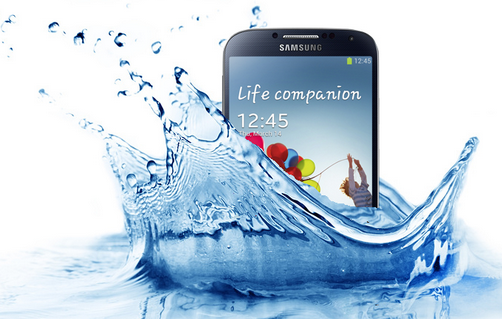
A rival introduced a dust and water proof smart phone earlier this year that somewhat stole the limelight for a moment, specially to the active users. This time, Samsung came up with it's own version of a tough phone. It can be used underwater for 30 minutes without worry of water damage. And with AquaMode on, for the first time you can enjoy taking photos and videos whilst under water. 


Samsung S4 Active
View the latest tariff for the S4 Active here


The S4 Zoom

Adding more feature to the already good spec camera, Samsung squeezed in a real zoom lense, the first of it's kind in the smartphone world, to give users 10 times optical zoom, rather than the usual digital zoom offered by most handsets.  This is something excessive to my ears but it can be a nice music to photo enthusiasts that are waiting for a product like this.


Samsung S4 Zoom
Samsung S4 Zoom
Coming Soon

See prices from ebay.


The S4 Mega

The crossover between a tablet and a mobile phone, though this is not the first from Samsung because of the bulkiness of earlier product, this product has a massive 6.3 inches screen and tops the scale of only 199 grams. The bigger screen is better for viewing entertainment contents and has an advantage over smaller S4's  when enabling multi-window mode.

Samsung S4 Mega
See the lowest tariff for Samsung Mega here.


Whatever type of mobile user are you,  there is something available tailored for you.  See more details, availability and prices of the different variants HERE. And if you have chosen your device already, find your accessories below.


Saturday, 16 March 2013

The Samsung Galaxy S4

The Galaxy range has wowed us in the past, specially with the S3 variant. It's sleek profile but large screen is more than enough to show us as much detail as possible of a page or a file. This time around, Samsung is ready to wow us again with it's latest discovery in the Galaxy range, the S4.

The looks


At first glance, aesthetically, there is no significant difference between the S3 and S4. They look the same, like twins. But if you take a look closer, or set them side by side, the newer brother is wider at 136.6 x 69.8 x 7.9mm compared to the 136.6 x 70.6 x 8.6 mm S3. But despite it's bigger profile, it weighs less 3gms than the 133gm scale of the  S3's. 


This time, the display is made up of Full HD Super AMOLED screen(441 pixel per inch), known for crisp and bright rendering of colours that doesn't necessarily drains up power. And encased in a poly carbonate body known for robustness with heavy scratch resistant component but totally light on scales. And you can have a choice between black and white initial colour offering.

S4  and   S3    img src:
http://asset2.cbsistatic.com/cnwk.1d/i/tim/2013/03/15/Galaxy_S4_and_S3.jpeg

The innards

The real difference and noticeable change come from what's within.  It initially ships with the latest Jellybean version 4.2.2, known to be sleek, fast and smooth like butter! 

The UK version's brain now consist of  a quadcore chip from Qualcomm's snap dragon family, four Cortex-A15 cores with a total speed of 1.6GHz, designed to do the complicated tasks, while the non UK variant has an additional four cores, which means 8 cores???. The second quadcore chip consists of Cortex-A7s clocked at 1.2GHz which will be used for less demanding work. The RAM also gets better this time with 2GB. And the device has plenty of storage to offer, the 16, 32, or 64 GB option plus an additional micro SD card slot that can take up to another 64GB. With the tremendous speed and performance, Samsung put in a removable Li-Ion 2600 mAh battery in it's power house. 

Interesting bits


Enticing the snappers of today is the installation of 13-megapixel rear camera, and 2-megapixel front camera. One fancy bit about taking a photo with this phone is, the one holding the camera can insert his image taken from the front camera with the photo being taken from the rear camera!  That's the dual camera at work. And a more interesting bit is the eye scroll software that can use the camera to track down the position of the eyeball, and the software automatically scrolls the page you are looking when the position of your eyeball reaches the bottom of the page.  This brings a new user interface, the eye control! Click video below!

video src: Cnet Youtube Channel


You can do magic with it's airview functionality, taken inspiration from the S pen that shows the content of a folder or a message by just hovering the pen over it, but this time without the S pen as you can use your fingers to do the trick.

Video Src: T3 Youtube channel

And more surprises

It is also equipped with the latest and fastest 4G LTE mobile internet protocol and the future NFC connectivity interface. Air gesture is another interface that users can use to place a call, or use the internet without touching it's screen. The text to speech application not only reads the message you type in but also translates it into several languages. Whilst you can take 2 simultaneous shots from the 2 cameras, you can also record the sound whilst taking the shots. The drama mode can take 100 shots in 4 seconds and it's up to you to decide the best or make a collage out of it. And if there are S4 users around, you can share this photos wirelessly using group play. As the name suggests, you can also share your games and play with other S4 users around the room. It can even use it's built in  InfraRed Led light to remotely control  compatible TV's, and set top boxes.

Where to get it


 Who wants one? At the moment, all you can do is to register and reserve from the vendor below and be the first to try it's S4 magic!


img src: carphonewarehouse


google.com, pub-9356159227116695, DIRECT, f08c47fec0942fa0

ShareThis

Popular Posts