Showing posts with label Sponsored Tips. Show all posts

Monday, 14 January 2013

LifeKeep, Beyond Cloud Storage

This post is brought to you by BuzzParadise. All opinions are 100% mine.

Everything is becoming digital, from pictures to videos, important documents to money, are now just a series of  zeros and ones, combined and arranged in a way to create that favourite photo of yours, or to give value to a plastic card, a thousand or a million times the worth of it's manufacture. The power of zeros and ones is really amazing. 

As they say, great power comes with great responsibility, so we really need to take care of this powerful medium not to fall into the wrong hands. We need to secure our digital media properly, in a way that it can be accessed easily by the right hands and virtually impossible by the wrong hands. It also needs to be stored in a sensible and organised manner that can be accessed anytime and anywhere we need them.

Pen drives are easily accessible and can be encrypted, but they can't be anywhere, and can be easily misplaced or lost. In my experience, I have misplaced or have lost at least five of them. That's why I store the files I usually access on to a cloud storage. This makes it possible for me to access them virtually from
anywhere and anytime, from any device connected to the internet, without the hassle of carrying anything. I also find it convenient that I do not need to memorize any of my passwords to different sites.

LifeKeep

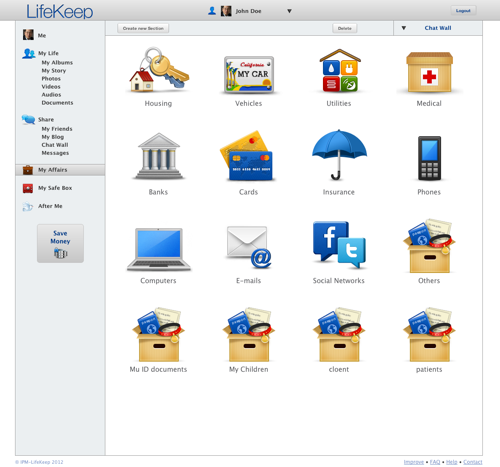
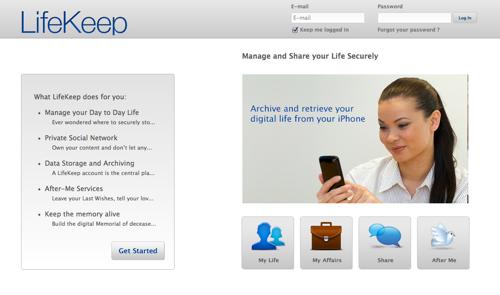
LifeKeep is one of the online providers of secure digital contents storage, so you do not need to carry anything important, like, photos , videos,  bank details, driver's license, loyalty cards, insurance policies, health records and many more. Aside from secure encryption and backup of your data, another plus factor of this storage provider is it's ability to automatically convert the stored digital files into the most recent format. This will ensure that the data can be read and translated by any programs in the future.  You can also configure the data you want to share to anyone you choose. This way, you are sure that no one can see your secrets except to those you choose to.
LifeKeep

Another distinct extra service is the panic botton function that  can be activated in case of dangerous situation. In one push of a button Lifekeep can call the police or anybody you've configured as an emergency contact. It can be your life keeper in real life!

And what about when the time comes that only your memories remains? What will happen to your digital data?  This depends on what you wish, should you choose to freeze it or leave your memories for the future generations to come. It is really your choice. All your digital properties can be preserved at www.I-memorial.com, a LifeKeep partner, to perpetuate your memory and will be accessible to those you choose.

LifeKeep

Try the difference of this data storage provider compared to other companies by signing up for a  free LifeKeep account . This gives you 250MB of secured storage that you can access easily with any web browser, or you can download the  free LifeKeep app application for your iphone for easy uploading and accessing of your files anywhere.
LifeKeep


Thursday, 30 August 2012

Vipre!

This is a Sponsored post written by me on behalf of GFI for SocialSpark. All opinions are 100% mine.

Viruses, malwares, and other threats has been the sources of unpleasant experiences online. In fact they make us  limit our online activity. I know some friends that lost money whilst banking online, and others that were victimised by hackers and lost their email accounts. Others experienced a slowdown in their computer's performance, owing most of this from viruses, malwares and other threats.

Did my friends have antiviruses? Yes they do, a copy of an internet security suite provided when they purchased their machines, which I suspect as trials only and might have been expired and no longer update the important  definitions.

They might have thought that what they have is enough until it's a little bit late.  It is very important to have antivirus, whether a premium one or not, as long as it continue to update the things it is protecting it from. It is  like wearing a helmet before riding  a bike.


Antivirus needs definitions updating to become immune or effective to known threats. Like our own immune system, we need to be exposed to the virus to form antibody against it. Or we need to have a shot or immunisation. Immunisation sometimes causes discomfort in our body as a consequence. In computers, whilst antivirus is updating its definitions, a "discomfort" may also occur, like performance slowdown, caused by high resource usage of the updating antivirus.

 In my experience, I encountered the same problem like sluggishness in my system when the antivirus updates and also when it do the sceduled scan. This means that whilst the antivirus is doing it's things, productivity is affected, and there's nothing more sensible to do  than make a coffee for myself and wait until the update is finished. And further delay happens when it starts scanning, this time I can make a coffee for myself and for my wife, and chocolate for the kids, with a little chitchat before I can use the computer again!
 Did you also experience this? I guess you did at some point.

The Vipre
Vipre antivirus is very different from the others I have used before. Although I can say that the previous antiviruses has done their job in protecting my computer, this antivirus stealthily does its things. Vipre scan your computer without slowing down your system. This means you can continue what you are doing online whilst it is searching for malwares and viruses in your system. The program also silently fetches or updates virus definitions without you noticing. Another good thing is the update can be set to every hour to refresh and look for new definitions for optimum protection. This boost my confidence of doing things online  because I know my computer is protected from the newest possible viruses or threats.


 If you regularly import or access files from other computers with USB sticks or other memory cards, or you allow your friends to use your computer to see their files on a USB stick, chances are there might be hidden threats in those storages that can create havoc in your system and you don't notice it before it's too late. With the Vipre, you will feel more secure and confident that threats from portable storages will be screened and blocked before they can enter your system. An option to automatically scan any attached USB device on your computer is built in. You just need to tick to perform automatic scanning.


The scan can be scheduled any time and any day without complicated settings. Just choose the day and tick the time and it does this automatically.

There are also other built in tools to play with that can give further online security, like secure file eraser, history cleaner and pc explorer.

And not only these extras, Vipre is also designed to protect and look for rootkits, trojans, worms, keyloggers, dialers, adwares, and malicious scripts. A true all in one protection indeed. 


Don't just take it from my experience, you can try it yourself. It is very easy to download the 28.2MB installation files and the installation is quite quick. It is recommended to disable or uninstall the existing antivirus before installing Vipre.


And just in case you run into trouble using the software, a US based customer service is free and always available. For further information about this product, go to their site at vipreantivirus.com.

Visit Sponsor's Site

Wednesday, 21 March 2012

Get The Edge With Infofree

This is a Sponsored post written by me on behalf of infofree for SocialSpark. All opinions are 100% mine.
Online stores have grown in number through the years, and every year a new name is added in the list. The sad news is for every new addition, another name is also lost. Others just can not survive the competition. I would like to think that online store's survival is a battle of the fittest. 

How could anyone fight with the big names? How could anyone so small could turn the heads of the costumers away from big, reliable and popular brands, and let them see, take notice at the offer from an unknown store? How can a new born fight for survival against a giant? It seems like these questions are without no answers but as they say, if there is a will, there is a way. The way is to get a source of accurate sales lead information!

InfoFree


Like winning a war, intelligence is a crucial key. Knowing the enemy, it's location, capability and weaknesses usually lead to victory. Surviving the online game is also like that. A good source of reliable pieces of information about possible buyers can be all what it takes  to get a chance and survive in the very competitive online marketplace. And that's what InfoFree give's to it's subscribers, precise information.

 It has over 50 diverse databases that help in the search result and can narrow this according to specific parameters like age, gender, marital status, income, geography and others. This gives  an edge in identifying customers fit for any product or services. The information like this can take years to complete but thanks to technology, it is just in  a click.


InfoFree can also tell the legitimacy of  a company. This info is valuable especially when dealing with suppliers for the first time. Included within the search results are the address and contact number of the company in query. Knowing this will help you watch out for bogus sites that are just after your money. 


What makes InfoFree on top of what it does is, it doesn't tie you up in using it. You can opt out anytime you like. InfoFree can give you unlimited searches of sales leads, email leads, and other sales tools like viewing  leads on a map! If you are one of the owners of a small online businesses or big ones that want to improve their site's performance then make InfoFree your edge. Try it out with a discounted price of £39.95 when you use BLOG39 code at the check out! Good luck.


Visit Sponsor's Site

Tuesday, 6 March 2012

Virtual Favourites In Just A "Clip"

Imagine this, you wanted to buy something for your friend and you turned the computer on. You went to your favorite price comparison site then started to search and compare the prices of the thing you are looking for. There are individual products that fancied your attention and you started to jot down the details, you did added the items into your browser's favorites as well. You did that several times until your little piece of note has no more space left to write down details.

After a  few days, you went into your friend's home with your little note. You've shown her the content  and delightfully decided to look for it online. The problem is, you've forgotten to write down the website where you have seen the item. And you have not emailed the link to your friend. The comparison site no longer shows the same search results. Shame!

How you wished you have the capability to export or email your bookmark favorites so that you can access the links easily anywhere. How you wished you could easily email or share these links and how you wished you can let your friends see the exact link and image of the item that you have found!

Thanks to Clipix, these wishes will come true!

This browser's "favourites" add on can do these things for you. It is very straightforward and easy to use, it sits there silently waiting along with the other web favourite tools. It is more practical and accurate in remembering things online than writing web pages on a note. Sharing  links to a friend is also no sweat and one of  the beauty of Clipix is you can access it anywhere as long as there is an internet connectivity! This means no more note taking manually and carrying your list around.

Clipix is a great tool in creating virtual clipboards of products you want to compare or sites you want to go back to at some point. All you need to do to get started is to go to their website, http://www.clipix.com/, like the application, and create an account. You can even log in with your facebook or twitter account. Installation is just a few clicks and the whole instruction is available at the site. You can start clipping what you fancy straight away once you're done.

When you get into a site or an item that you want to save, just click the clipix tab at the favourite's tab, select a category, then click the clip button.

The resulting clippings will be available when you go to your Clipix account. And the fun does not end there, you can share your virtual clipboard to your social network friends or email it.
The application is a great help for me as a blogger. Instead of going into the blogger's login interface first to access the post editor, or see my stats for the day, I can go straight away into any pages of the blogger flat form bypassing the  log in page, by making a clipping of the different pages of the blogger interface. I did made a description of the  pages based on it's contents so that I will have an idea on what I can see when I open up that  page. This technique simplifies and makes my editing faster as I just know where things are because of the page descriptions. 
So what can Clipix do for you? Get the application at http://www.clipix.com/ and start your own Clipix clippings gallery! You can also share about your experience with the application and things you think that should be improved by writing it here as a comment!
See Clipix in action.
Promoted Post
Visit Sponsor's Site

Friday, 13 January 2012

The Missing Script

This is a Sponsored post written by me on behalf of Walgreens for SocialSpark. All opinions are 100% mine.

Technology's purpose is to help people do things easier. It is present in every field in fact in everything around us, we see technology delivering it's purpose. If it doesn't, or if man decides the technique with the technology can no longer cope up with man's busier activity, man look for another technique, but the underlying principle is still there. Man just innovates.

The same in the field of medicine, which is rapidly changing, as most of the diseases that are discovered of their cure are already present long time ago. it is just the way that they are seen and understood that differs with different techniques. Technology finds a way to develop and improve the effectivity  of the cure, and also technology evolved in a way that these cures reach the consumers.

Now comes online prescription and dispensing. Instead of running up the high streets for medicines and other health needs, we can do it with a mouse and a click, saving us time and effort we can use in other activities. With our busy lifetime, this is a life saver.

But what if we can no longer use or order our medicine from our online pharmacy? What if we can no longer visit the usual provider of our medicines? Others might say, it is simple, switch providers! But it is not as simple as it seems.

The Missing Script


That's what's happening at the moment between Express Scripts and Walgreens, when Express Scripts terminated the services of Walgreens from supplying their clients with medicines. This means the current Walgreens ordinary users doesn't have a choice but to transfer their prescriptions to a different pharmacy. As Walgreens offers the most number of generic products and have more 24-hour pharmacies opened than other companies, the potential savings from Walgreens users are wasted by traveling farther and having no choice but to buy branded meds when generic brands are not available.

Not just the ordinary users are affected with the change. Even the military service men and women under Tricare is caught up in the middle. As Tricare has been using Express Scripts to supply their needs. Walgreens even offered to match or even lower the prescriptions provided by any pharmacy but the offer, which is unprecedented, is turned down! This means the potential savings for that proposal for these service men and women is tossed at the bin. Which in fact a shame, because everybody needs savings from any source under this global financial crisis.


Bring Back the Missing Script

Can the users bring back Walgreens into Express Scripts? With corporate disputes like this, user's who are affected can voice out their grievances with their local media with the hope that these issues of change, annoyance, inconvenience and missed savings can be addressed. Like them on their facebook and tweeter page to show your support.


Help From Walgreens

At the moment, Walgreens wants to help users and new users to maximize their savings by making an offer on special discount or annual membership for it's prescription Savings Club until January 31st 2012. See the link  below


With the dumping of Walgreens by Express Scripts, no other is at the disadvantage than the users. Bring Walgreens back to the Scripts! 

Visit Sponsor's Site

Sunday, 8 January 2012

ING's Savings Calculator


This is a Sponsored post written by me on behalf of ING Direct for SocialSpark. All opinions are 100% mine.

Study, get a job, work, then get the money. Most of the journeys in our life is booked on making money, and I would like to think that we live to make money. It's true at some point as money can be translated, exchanged into anything and can be the ultimate source of power in a man or in an entire country. Indeed, it is one of the most significant and important inventions of man.

Monetary crisis hits every corner of the world, and the rich people and superpower nations not spared. Countries resorted to austerity measures, cutting spendings, shutting up jobs, and lowering the bank's interest rates. And individuals too, needs to tighten up their belts and share the burden of the crisis, to get through.

As the Bank of England's base rate is pegged at 0.5 percent, the interest rate in savings is at it's lowest as well. As banks become competitive with each other on times like this, it is a good practice to look at the interest rates and compare them as necessary as it varies from different banks. It is not enough, however, for savers to just look for higher interest figures but also to read the smaller prints where the bigger surprises are written, like money tied up for long years without being able to withdraw, high minimum maintaining balance, and not easy to access accounts. Thanks to the advances in technology and the internet, we can compare the market without the bank's representative who can give us a biased analysis. With a few click of the mouse, we can decide where to put our money safely and more productively, that is tailored to our needs and circumstances.

Checking, for example http://www.moneysupermarket.com/savings/, Would put the top banks that offer the top interest rates. But beware and and be sure to  understand the smaller prints, written with the conditions. See screen shot below 


If I were going to choose, I would choose the later, it has a lesser interest rate but more flexible in terms of the amount of deposit and withdrawal terms as well.

 Interestingly, there's a widget at it's site that can help you determine the amount of savings you can set aside comfortably  in a year in a given area and locality. This can help savers which kind of savings and investment is the right one. This will eliminate over investment or under investment to maximize the interest rate tied to a certain product.   which                              

Basing for example the screenshot below, I know that I can take any of the savings offers above, the only sensible thing to do is to choose which one is fit to my circumstances.


You can try the widget which I have embedded below, if your finances qualifies you to a savings investment or other investments that can give you higher yields.

Savings Accounts
Visit Sponsor's Site

Friday, 30 December 2011

Think Mobile, Think Snapdragon!

This is a Sponsored post written by me on behalf of Snapdragon by Qualcomm for SocialSpark. All opinions are 100% mine.

We know Blackberry, HTC, LG, Pantech, Samsung, Sony and T-mobile devices, but do we know Snapdragon? Maybe not. Just like being human, we can see each others  faces but not our brains. We know what we can do but not all of our capabilities. Capabilities that can make clay into castles and stone into bridges.  We can do this without the pretty face we always see, but beyond it, it's the brain doing the thinking and doing the most complex calculations quietly.

Snapdragon is the common denominator of the mobile brands we love. It became the brain of choice for these devices that made them exciting, fun, and useful. Blackberry, Samsung, Sony and other top brands can't all be wrong putting a snapdragon inside their devices. It might be something they can have an edge with against other competitors.
Who would not look for multitasking for optimum productivity, console like quality and realistic 3D gaming and effects, longer battery life to keep you going on a mobile and other portable devices? Given the fact that it is used by top product manufacturers, top operating systems like android, blackberry 7 and windows phone 7. And for the users, when we invest something on a device, we do not only look at the appearance, the hype and the glamor, but because we know that it is all that we needed.

Exciting and fun as it is, Qualcomm, the name behind Snapdragon, excitedly changed the name of the Qualcomm stadium, the home of the San Diego Chargers,  into Snapdragon Stadium. This has been the fourth time the stadium is renamed and the first time that got a name from a specific product. This change was for just 11 days, when they've played against Baltimore, and hosted two college bowl games, the San Diego County Credit Union Poinsettia Bowl (Dec. 21) and the Bridgepoint Education Holiday Bowl (Dec. 28).


Have you discovered the dragon inside your device yet? Snap it now.

Visit Sponsor's Site

Wednesday, 28 December 2011

Stressless Holiday Packing List


This is a Sponsored post written by me on behalf of My Travel Checklist for SocialSpark. All opinions are 100% mine.

Booking a holiday is as easy as clicking a mouse. As most travels and relaxations are booked online, no sweat running up and down the high streets and no headaches comparing the deals suited according to the wallet's content.

Deciding which things to bring along starts the stress of travel. Followed by packing up the suit cases, watching on the allowed weights and so on. It is a good practice to write down list of all things we want to bring along. Then finally trim it down to the minimum and to the best suited for the type of travel booked. The trouble is most of us do not make the list. Our minds are pre occupied with the would be  activities and would be places to visit once we're there. This would result to electrical chargers left behind, wrong electrical plug adaptors, batteries not packed in, wrong types of clothes. Then while lying on a beach and enjoying the sun, the other side of our mind is in doubt if the gas cooker was turned off after the last porridge, if the electric mains switch was off or the automatic switch was set up properly, How you wished you have a personal assistant to remind you all of this.

This is what  MY TRAVEL CHECKLIST from Mondial Assistance  is all about. To remove the stress of travel so you will have a peace of mind and enjoy your holiday without stress, as it reminds you of the things you need, before, during and after your departure. This apps is compatible with PC's and smartphones. It can be customized according to what type of traveler you are, which part of the world you're going, how long, and what activities you will be doing. It is so easy to use and it's logical approach on preparing things is very good. Default suggestions can be easily replaced with your personal likes.


What I do like personally about the application is the Before Leaving checklist, which I think is very useful and essential especially for the forgetful chap like me, as it reminds you to turn off electricity, gas, clear rubbish and more. The things that most of us forget the most. This really saves headache and lets you enjoy your holiday without worries and guilt back home.


Another brilliant point is you can save  your checklist and modify it anytime to personally tailor  to individual needs or type of travel and can even share it by emailing or printing it out.


Learn more from  video tutorial at
http://youtu.be/wVfOlr00jTw
Download the application at
http://www.mondial-assistance.co.uk/tcl#

My Travel Checklist


Visit Sponsor's Site
google.com, pub-9356159227116695, DIRECT, f08c47fec0942fa0

ShareThis

Popular Posts